

Verified
★★★★★
This has made me more productive. Time save for a small business owner.
 ×Semakka
For people who are tired of spending as much time fixing transcription errors as they save — so every meeting becomes clear, structured notes ready to use the moment recording ends.

Based on real creator reviews · Trusted by 2M+ users globally
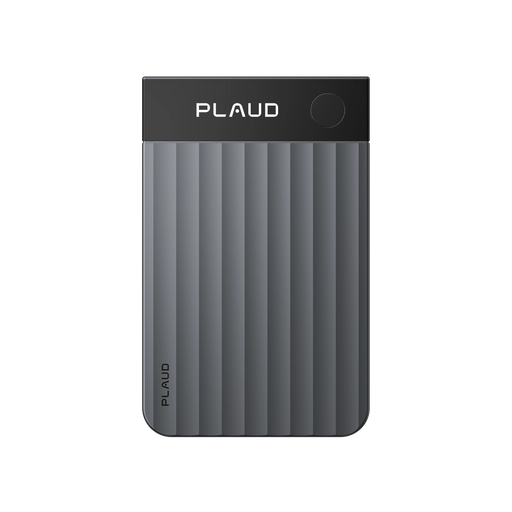
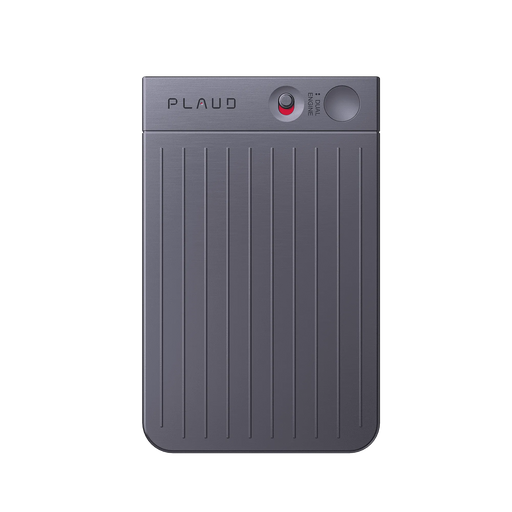
Clip Plaud NotePin onto your shirt or jacket and stay present in the room. You capture the full conversation hands-free, so you are not juggling apps or typing partial notes that later turn into messy cleanup.
After recording, Plaud App generates clear, structured notes. Instead of scanning a transcript line by line to fix mistakes, you start with an output that is already organised for review and follow-up.
Use Ask Plaud to pull decisions, action items, and key details from the meeting, then share or export them into your workflow. You spend less time cleaning text and more time moving the work forward.
Creator review
Semakka, a men's lifestyle & grooming creator, shares how he clips on Plaud NotePin to capture meetings and get structured notes after recording, without manual transcription.
Creator's vertical video review (Instagram)
Semakka
Men's lifestyle & grooming creator
Platform
Audience
People who need accurate meeting transcription without cleanup
Scenario tested
Clip on, record, and get structured notes right after the meeting
"After recording, the app generates clear, structured notes, saving you hours of manual transcription."
— Semakka, video at 00:52
The problem & the fix
Recording on a laptop mic or phone across the room means background noise, distance, and echo all get picked up. The AI does its best, but garbage in means garbage out — and the transcript shows it.
In a meeting with three or four people, most transcription tools start confusing speakers within minutes. By the end you are not sure who made which decision, and fixing it means going back to the audio anyway.
You spend time correcting misheard words, wrong speaker labels, and mangled technical terms. The AI saved you from writing but handed you an editing job instead. The net saving is smaller than it should be.
Plaud NotePin clips onto your clothes and stays close to the conversation. Cleaner source audio means Plaud Intelligence has more to work with — and the transcription coming out is more accurate before you even open the app.
Plaud Intelligence automatically labels each speaker throughout the meeting. You open the transcript and see who said what, without cross-referencing audio to reconstruct the conversation yourself.
After recording, the Plaud App generates clear, structured notes. Industry-specific terminology is handled well, so what comes out reflects what was said and saves you hours of manual transcription and correction.
Choose your wearable AI note taker
For accurate meeting transcription, choose the device that helps you capture cleaner audio in the room and turn it into structured notes without spending your time on manual cleanup.
 Room-grade pickup
Best for larger rooms and all-day sessions
£169
Shop nowSemakka's pick
Best for phone-based capture on the go
£149
Shop now Highlight-ready
Best for hands-free meeting capture
£159
Shop nowCreator story
Semakka x Plaud NotePin
Semakka was spending time on manual transcription after every meeting and recording session. The notes needed organising before they were usable, and that extra step was eating into the time recording was supposed to save.
Now he clips Plaud NotePin onto his shirt or jacket. It is light and unobtrusive, always ready to record thoughts and discussions without getting in the way. Setup took seconds — scan the QR code, register, connect, and it is ready to capture.
After recording, the Plaud App generates clear, structured notes. He calls it a smarter way to take notes — one that saves time and keeps everything effortlessly organised without the manual work that used to follow every session.
"It's that light and unobtrusive, yet always ready to record your thoughts and discussions."
Semakka
Men's lifestyle & grooming creator · video at 00:27
2M+
Users globally
10,000+
Creator advocates
260 hours
Saved per year on average
Expert playbook
Master accurate meeting transcription with this step-by-step playbook.
Set up a capture routine that reduces noise and prevents cleanup later.
Stay present and capture a cleaner input.
Get an output you can use without manual cleanup.
Build a searchable meeting record that stays reliable.
Why Plaud
Plaud NotePin helps you capture cleaner audio hands-free and turn it into structured notes, so you spend less time fixing transcription mistakes and more time acting on what was decided.
Clip it on and record without typing. You stay engaged, and you still leave with a complete, reviewable record.
Get clear, structured notes right after recording, then use Ask Plaud to pull action items and decisions without manual reformatting.
Plaud is SOC 2, HIPAA, GDPR, and EN 18031 compliant, which helps protect your recordings, transcripts, and summaries.
Real reviews
Hear what real customers say about using Plaud NotePin for meetings.
This has made me more productive. Time save for a small business owner.
Pretty easy to use. The value is actually realized in the transcription service.
The pin works great. It is easy to use and the pin is made of great quality.
First try: I spoke in Portuguese and it transcribed the translation into English. Awesome!
FAQ
These are the questions people ask when they want accurate meeting transcription without spending hours on manual cleanup.
Transcription accuracy depends directly on what the AI receives. Background noise, distance from the speaker, and echo all degrade the input — and even the best AI cannot fully recover from poor source audio. Plaud NotePin clips close to the conversation, which means cleaner input and more accurate output before any correction is needed.
Plaud Intelligence automatically labels each speaker throughout the recording. In meetings with multiple participants, the transcript identifies who said what, so you are not spending time reconstructing the conversation from audio after the fact. For best results, wear the device close to the main speakers.
Your phone gives you an audio file. Plaud NotePin gives you clear, structured notes the moment recording ends. There is no raw transcript to clean up, no audio to replay — just organised content ready to review, share, or act on. For people drowning in meetings, that difference is hours saved every week.
Plaud is SOC 2, HIPAA, GDPR, and EN 18031 compliant. This helps protect your recordings, transcripts, and summaries when meetings include sensitive client or internal information.
No. Plaud comes with a free Starter Plan including 300 transcription minutes per month. If you need more minutes or advanced features, you can upgrade to a membership plan.
Keep exploring
More resources to enhance your meeting notes.
Learn how speaker labels and custom templates can make transcripts clearer and reduce post-meeting cleanup.
Explore →Trim recordings to the essential parts so you spend less time processing noise and more time working with the content that matters.
Explore →Understand the security framework behind Plaud so you can trust meeting recordings and transcripts for professional use.
Explore →
Fast Shipping
Ship out within 1-2 business days

Free 30-Day Return
No reason needed. Free return shipping & full refund.

One-Year Warranty
Warranty period subject to local laws

Lifetime Customer Support
Quick support within 24 hours on working days
Before you record, take a moment to let others know and get their okay. Thanks for being mindful of privacy and local laws.
Trending Search
Trending Search
Suggested Searches
Popular Products