

Verified
★★★★★
This is a must have for any business who has multiple meetings and partners.
 ×Pinark
For project leads and busy professionals who do not want to lose track of what was decided last week — so they can search past meetings fast and follow up with confidence.

Based on real creator reviews · Trusted by 1.5M+ users globally
Start recording with one press so you can stay present while Plaud Note captures clear audio, even when multiple people speak and background noise shows up.
After the meeting, Plaud Intelligence turns audio into transcripts, summaries, and mind maps. It also extracts numbers, conclusions, and to-do lists you can reuse.
Use Ask Plaud to search across past notes when you need the exact decision, number, or promise. Pull the right snippet, then share or export the follow-up.
Creator review
Pinark, a good finds creator, shares how Plaud Note keeps meeting decisions easy to find later. Busy teams can search across past notes instead of relying on scattered notebooks when follow-ups matter.
Creator's vertical video review (Instagram)
Pinark
Good Finds creator on Instagram
Platform
Audience
Busy professionals who need reliable recall across multiple meetings
Scenario tested
Searching past meeting notes for key decisions, numbers, and follow-ups
"It creates quick summaries from long notes, extracts numbers and conclusions, generates to-do lists, and even searches across past notes."
— Pinark, video at 00:20
The problem & the fix
A client pings you for the exact decision or figure from last week. Your notes are spread across pages and apps, so you cannot answer quickly or confidently.
Paper notes and random voice memos do not connect. Without a searchable transcript, you replay long audio just to find one quote, owner, or deadline.
When follow-ups are built from fragments, owners and deadlines slip. You resend messages, duplicate work, and the project drifts because the record is not reliable.
Plaud Note cancels background noise and recognises different speakers, so your record stays clear even when people interrupt or talk over each other.
Plaud Intelligence turns meetings into transcripts, summaries, and mind maps. Ask Plaud pulls numbers, conclusions, and to-do lists so you do not need to replay audio.
Ask Plaud searches across past notes, so you can pull the exact line, number, or decision from the right meeting and send a precise follow-up with confidence.
Choose your AI voice recorder
Choose the device that helps you capture clearly, extract structure, and search across past meeting notes.
 Room-scale
Best for searching across past meeting notes with clearer pickup across bigger rooms and longer tables
£169
Shop nowPinark’s pick
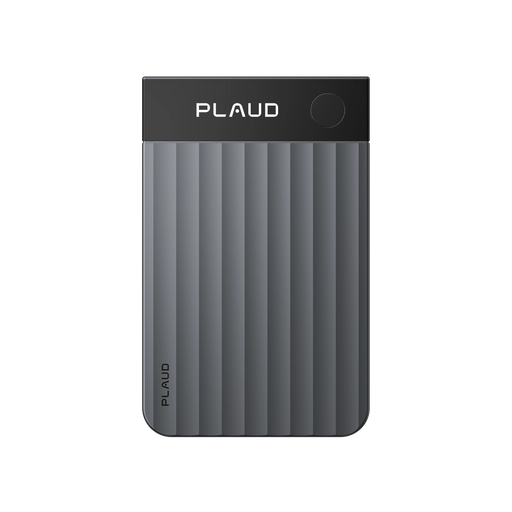
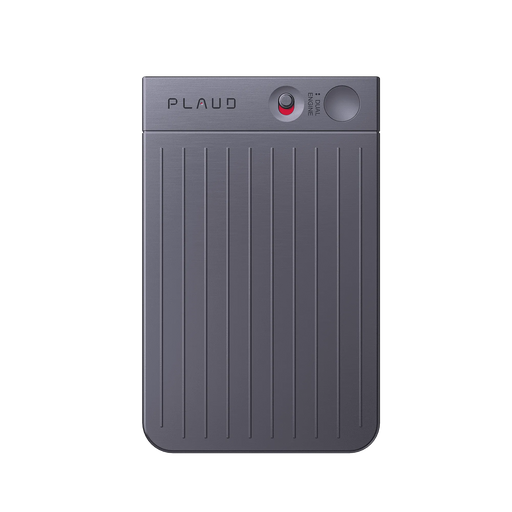
Best for searching across past meeting notes with phone-back capture for everyday meetings
£149
Shop now Hands-free
Best for searching across past meeting notes with hands-free capture you can wear all day
£149
Shop nowCreator story
Pinark x Plaud Note
With back-to-back meetings, it is easy to remember the big idea but lose the exact wording, key numbers, and decisions. When a teammate asks, “What did we agree on last time?”, scattered pages and voice memos make the answer slow and uncertain.
Pinark uses Plaud Note as a simple meeting recorder. It captures clear audio for meetings and everyday use, even with background noise or multiple speakers.
Plaud turns the recording into transcripts, summaries, and mind maps. When a detail matters later, Pinark can use Ask Plaud to search across past notes and pull out the right decision, key numbers, and next steps.
"It transforms notes into transcripts, summaries, and mind maps."
Pinark
Good finds creator · video at 00:20
1.5M+
Users globally
112
Languages supported
260 hours
Saved per year on average
Expert playbook
Follow this playbook to capture, process, and search your meetings effectively.
Set up once so every meeting becomes searchable later.
Capture clean audio without distracting the room.
Turn one meeting into a usable record you can search later.
Build a searchable library across projects and quarters.
Why Plaud
When decisions live across dozens of meetings, the risk is forgetting what was agreed. Plaud Note helps you capture reliably, extract structure, and search for the exact detail when it matters.
Start recording without pausing the conversation. You can listen, respond, and keep momentum while Plaud Note captures the record.
Transcribe in 112 languages with speaker labels, then use templates and Ask Plaud to pull action items and conclusions without replaying audio.
SOC 2, HIPAA, GDPR, and EN 18031 compliance helps teams handle confidential discussions with more confidence.
Real reviews
Hear from verified customers using Plaud Note for meetings and notes.
This is a must have for any business who has multiple meetings and partners.
If you’re in board meetings, or need to take notes, this tool works well.
Works well. I love the summaries. I use it for a lot of my business needs.
It is extremely easy to use and automatic notes are extremely impressive!
FAQ
Common questions about using Plaud Note for searching across past meeting notes.
After your meetings are transcribed and organised, you can use Ask Plaud to search across past notes and pull out the detail you need, like a decision, number, or next step. This is especially useful when the follow-up is happening days later and you need the exact wording, not just a memory of the outcome.
Plaud Note is built for one-press capture and uninterrupted recording. With a phone, you often pause the conversation, unlock the screen, open an app, and recordings can stop if you switch apps or get a call. In a fast meeting, that friction is usually why “I’ll look it up later” turns into missing the detail you need for follow-ups.
No. Plaud comes with a free Starter Plan including 300 transcription minutes per month. If you rely on meetings daily, membership plans are available, but they are not required to start. You can begin by using Plaud for your most important recurring meetings, then decide later if you want more monthly minutes.
Local rules vary, but a simple heads-up helps. One easy line is: “Mind if I use my AI note taker so I don’t miss any details and follow-ups from our chat? I can share the notes with you after as well.” It is a low-friction way to set expectations without making the meeting feel more formal than it needs to be.
Yes. Plaud adheres to high compliance standards including ISO 27001, ISO 27701, GDPR, SOC 2, HIPAA, and EN 18031. If you are capturing client or commercial details, this helps you feel more confident keeping a searchable meeting library instead of relying on ad hoc notes.
Keep exploring
More ways to enhance your meeting notes workflow.
Learn how Ask Plaud uses deep search to extract conclusions and action items from complex notes, so you can move from “what happened?” to “what next?” faster.
Explore →Explore speaker labels and custom templates that make transcripts clearer and summaries more tailored for recurring meetings.
Explore →See how long battery life and mind map creation help you keep meetings organised and easier to review over time.
Explore →
Fast Shipping
Ship out within 1-2 business days

Free 30-Day Return
No reason needed. Free return shipping & full refund.

One-Year Warranty
Warranty period subject to local laws

Lifetime Customer Support
Quick support within 24 hours on working days
Before you record, take a moment to let others know and get their okay. Thanks for being mindful of privacy and local laws.
Trending Search
Trending Search
Suggested Searches
Popular Products