
Every workflow has a rhythm. A meeting ends, and you reach for the same prompts: draft the follow-up email, pull out the action items, and generate a structured report. You know what you need. You've typed it before. You'll type it again.
The real cost isn't the typing — it's the friction. Every time you rewrite a prompt, you lose time, consistency, and momentum.
Today, we're introducing Skills — a new way to turn your most valuable AI prompts into instant, reusable actions you can run on any note with a single tap.
What make Skills different
Run AI workflows instantly
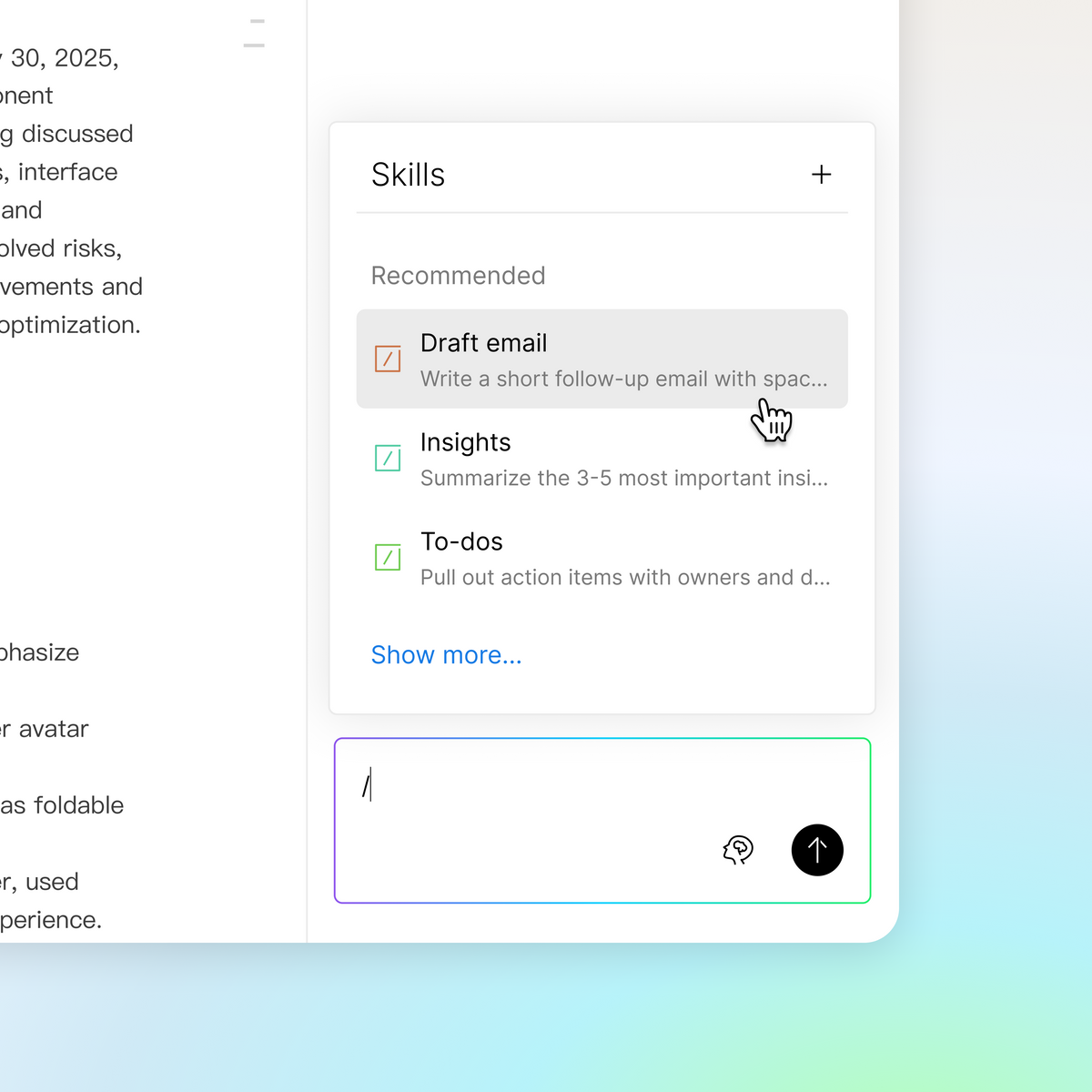
Execute predefined AI actions directly within Ask Plaud conversations. No more starting from scratch — just tap a skill and get results in seconds.
Standardize repeated workflows
Use built-in skills or create custom ones to generate consistent outputs every time. Whether it's a structured debrief, a client-ready summary, or a decision log, the format stays the same — so you can focus on what matters.
Eliminate prompt rewriting
Save frequently used prompts as reusable skills and run them with a single tap. Your most valuable prompts become permanent tools, not temporary notes you have to remember and retype.
Generate outputs from note context
Skills draw directly from your note's transcript and notes — no copying, no pasting. Every output is grounded in what actually happened, keeping your results accurate and relevant.
How to get started

- Open any note in the Plaud App or Plaud Web.
- Navigate to Ask Plaud and tap "/" to open the skill menu.
- Select a skill from your library or create a custom one, and your output will be ready in seconds.
Try Skills today
Skills is available now on the Plaud App and Plaud Web. Open a note, tap “/”, and see what your prompts can become.