App Recording Guide
How to Record?
Plaud NotePin:
Press the center of the device until you feel one vibration to start recording. To stop recording, you just need to press the center of the device again until you feel two vibrations.
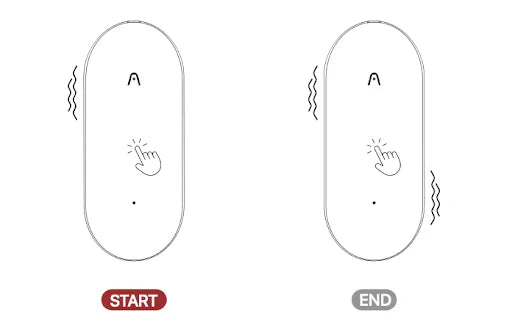
Press the center of the device until you feel one vibration to start recording. To stop recording, you just need to press the center of the device again until you feel two vibrations.

Fast Shipping
Ship out within 1-2 business days

Free 30-Day Return
No reason needed. Free return shipping & full refund.

One-Year Warranty
Warranty period subject to local laws

Lifetime Customer Support
Quick support within 24 hours on working days
Before you record, take a moment to let others know and get their okay. Thanks for being mindful of privacy and local laws.
Trending Search

Trending Search
Suggested Searches
Popular Products