Verified
★★★★★
Amazing and super helpful. Will help with organization of my many meetings, phone and Zoom/Teams calls.
 ×My_americalife
For Zoom meeting participants who do not want calls and pings to ruin their notes - so they can get transcripts, summaries, mind maps, and action steps without typing live.

Based on real creator reviews · Trusted by 1.5M+ users globally
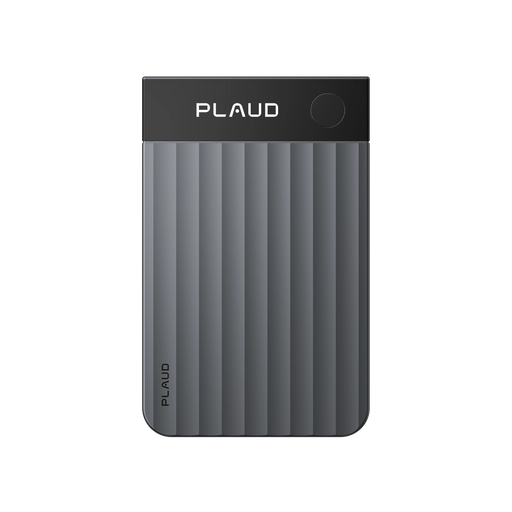
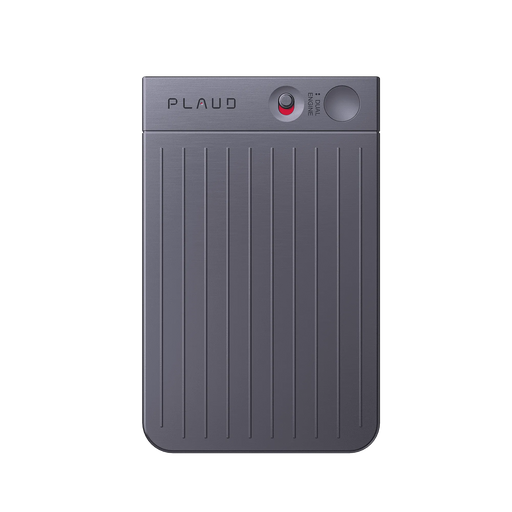
Calls and pings keep pulling focus in a Zoom meeting, so you snap the magnetic back onto your laptop or phone. Then Plaud Note records nonstop while you keep listening.
After the meeting, Plaud Note transcribes and summarizes so you can scan what matters without replaying a full recording. Then switch straight to a mind map.
Mind maps connect the conversation, and Plaud Note can turn long notes into action steps, to-do lists, and expert tips you can use right away.
Creator review
My_americalife, a good-finds creator, shared how she uses the Plaud Note during calls when pings keep ruining her notes in a Zoom meeting.
Creator's vertical video review (Instagram)
My_americalife
Good finds creator
Platform
Audience
Zoom meeting participants who get interrupted by calls and pings
Scenario tested
Zoom meetings where calls and pings ruin notes
"Calls and pings kept ruining my notes... so I switched to Plaud."
— My_americalife, video at 00:19
The problem & the fix
In a Zoom meeting, calls and pings keep pulling attention away at the worst moments. When the conversation moves on while you're dealing with interruptions, the exact wording and key decisions slip through and your notes end up incomplete.
When a meeting covers confidential topics, recording to a phone app can feel risky. If you're unsure where the file is stored, whether it syncs automatically, or who can access it later, that uncertainty makes it harder to record consistently.
Even if some notes get captured, they’re often fragments without context. After the call, you're stuck replaying long audio or reconstructing what happened, and the meeting still doesn't turn into clear next steps.
Snap the magnetic back onto your laptop or phone before the meeting starts, then press once to record nonstop. Even if calls and pings interrupt your flow, you still leave with continuous capture you can review and extract from later.
Plaud Note stores offline first, then transfers safely to your phone. Sensitive Zoom discussions stay on the device until you choose to move them, so nothing scatters across apps or cloud folders without your say.
It doesn't just transcribe. It summarizes your recording and creates mind maps from the conversation so you can see what matters fast, then turns long notes into action steps, to-do lists, and expert tips.
Choose your AI voice recorder
Choose the right device for nonstop Zoom capture through calls and pings - then get structured recaps (transcripts, summaries, and mind maps) you can act on.
 Team-ready
Best for Zoom meetings when calls and pings ruin my notes with longer-range pickup
£169
Shop nowMy_americalife's pick
Best for Zoom meetings when calls and pings ruin my notes with magnetic snap-on
£149
Shop now Wearable
Best for Zoom meetings when calls and pings ruin my notes with hands-free wearable
£159
Shop nowCreator story
My_americalife x Plaud Note
My_americalife has had that moment mid-Zoom: “I missed the conversation again. No notes.” Calls and pings kept ruining her notes, and the more she tried to type through it, the more she fell behind.
She switched to Plaud Note, so the capture happens even when the meeting gets choppy. The magnetic back easily snaps onto her laptop or phone, it records nonstop with amazing battery life, and it stores offline first, then transfers safely to her phone.
After the call, she gets clarity instead of a messy audio file. Plaud Note transforms the recording into a full transcript and clean summary, then creates mind maps from the conversation and turns long notes into action steps, to-do lists, and expert tips she can use right away.
"Mindmaps: the easiest way to see and connect your ideas. It even turns long notes into action steps, to-do lists, and expert tips!"
My_americalife
Good finds creator · video at 01:01
1.5 Million
Users globally
112
Languages supported
260 hrs
Saved per year on average
Expert playbook
Follow this step-by-step playbook to handle Zoom interruptions and turn recordings into actionable insights.
Get your capture ready so Zoom interrupts do not break your note-taking flow.
Let the device handle capture so you can stay present during calls and pings.
Turn the interrupted Zoom audio into structure and decisions you can use.
Build a repeatable recap system from many Zoom calls that used to leave you with no notes.
Why Plaud
Plaud Note records nonstop through the chaos, then turns the conversation into mind maps and action steps.
The magnetic back snaps onto your laptop or phone and keeps recording nonstop, so calls and pings stop breaking your notes.
Plaud summarizes recordings and creates mind maps from conversations, so you can move from raw discussion to usable next steps.
It stores offline first, then transfers safely to your phone, with enterprise-grade protection aligned with AES-256 encryption, TLS 1.3, SOC 2, HIPAA, GDPR, and EN18031 compliant practices.
Real reviews
Hear from verified buyers who transformed their meeting notes with Plaud Note.
Amazing and super helpful. Will help with organization of my many meetings, phone and Zoom/Teams calls.
This thing has probably saved me hours of meeting minutes 😂 I thank you for this! Works great with my phone, haven’t had any issues.
Plaud is impressive in every aspect, recording, note taking, transcribing, mind maps, and summarizing. It is a must-have if have meetings!
Works well. I love the summaries. I use it for a lot of my business needs.
FAQ
Common questions about using Plaud Note for interrupted Zoom meetings.
With a phone app, recording can stop when you switch apps or get a phone call. Plaud avoids that disruption: snap Plaud Note with the magnetic back onto your laptop or phone, then press once to record nonstop while you stay present in the Zoom conversation. With a fully charged battery, it also supports up to 30 hours of continuous recording.
Yes. Plaud Note transcribes and summarizes your conversation, then creates mind maps so you can see the structure, not just raw words. When the meeting produces long notes, it can also turn them into action steps, to-do lists, and expert tips you can use right away.
Yes. Privacy and data security are at the core of Plaud, with compliance including ISO 27001/27701, GDPR, SOC 2, HIPAA, and EN 18031. For sensitive Zoom content, it also follows the offline-first workflow—then transfers safely to your phone. And as a best practice for consent, it’s good to give others a quick heads-up since local regulations differ.
Yes. Plaud Note is built for heavy meeting days: with a fully charged battery, it supports a full day of back-to-back calls on a single charge, so you can keep capture running across consecutive Zoom calls without stressing about mid-day drop-offs. After each call, use the transcript and summary to create a fast recap before you jump into the next meeting.
No. Start with the AI summary and mind map to scan key takeaways quickly—then open the transcript only when you need exact wording or specific quotes. This keeps review fast even after a calls/pings-heavy meeting.
Keep exploring
Discover more ways to improve your Zoom recording and note-taking.
Capture Zoom audio reliably and reduce the risk of missing key moments when interruptions like calls and pings throw you off.
Explore →Turn your nonstop Zoom recordings into clean transcripts you can actually scan.
Explore →Compare note-takers that keep you present during Zoom calls and still deliver structured summaries after the meeting.
Explore →Trending Search
Trending Search
Suggested Searches
Popular Products
Matching Results