Verified
★★★★★
Great device for all meetings! Hassle free and great summary provided using AI.
 ×Shreddera
For busy callers who do not want to miss key call details - so they can turn every iPhone call into clear, usable notes without typing live.

Based on real creator reviews · Trusted by 1.5M+ users globally
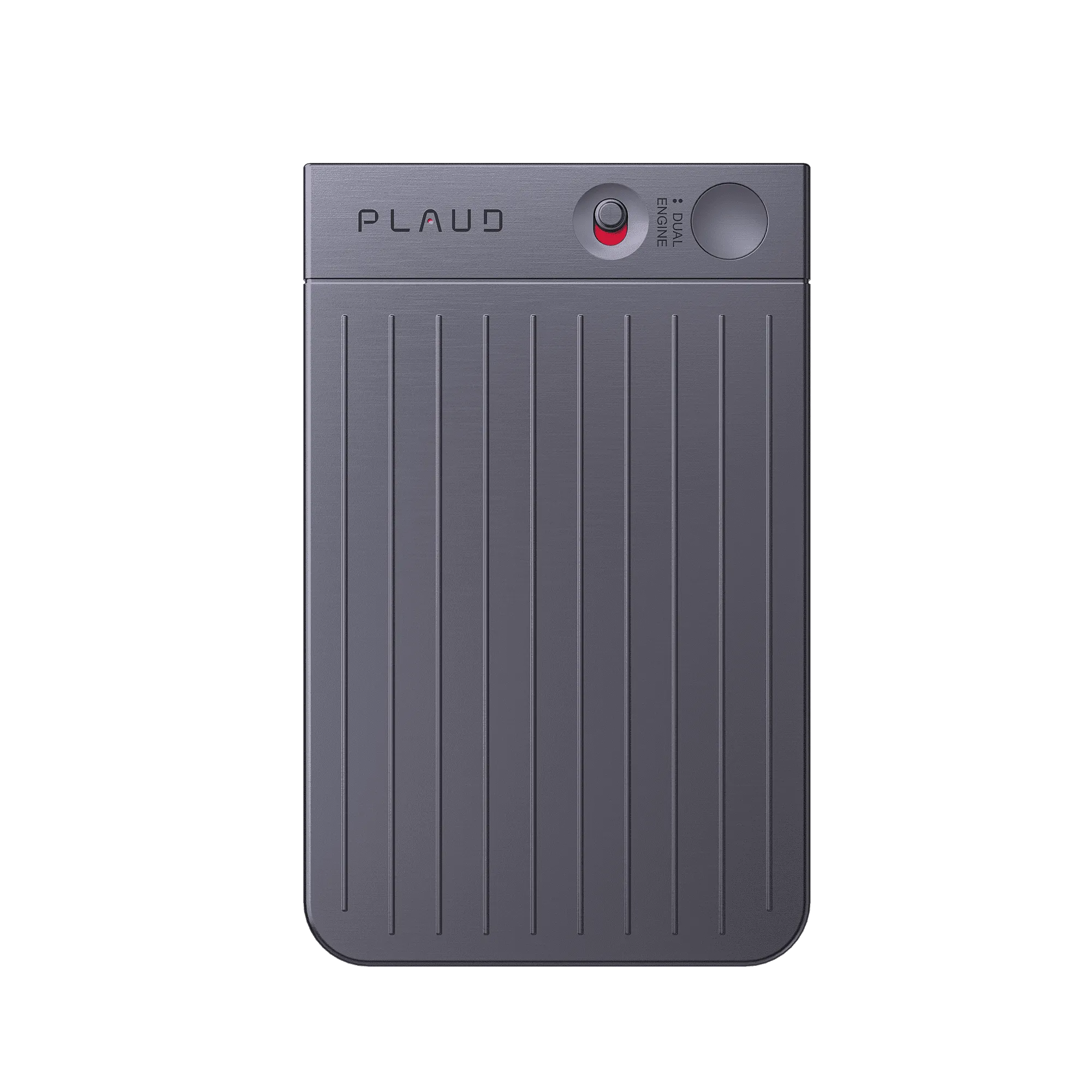
When the call starts and you cannot take notes with your hands, snap Plaud Note on with the MagSafe-backed magnetic case so you can stay present while it records hands-free.
After the call, Plaud Note automatically transcribes and organizes what you said so you can scan the important parts without replaying a long recording.
Use the structured text output to move forward fast, from the key details to the next steps you need right after the call.
Creator review
Shreddera, a good-finds creator, shared how he uses the Plaud Note when iPhone call recordings need to be hands-free.
Creator's vertical video review (Instagram)
Shreddera
Good finds creator
Platform
Audience
Busy callers who need hands-free iPhone call recording
Scenario tested
iPhone call recording when you cannot take notes during the call
Key feature
Automatically transcribes and organizes your notes with AI.
"Perfect for iPhone call recording. It snaps on and records hands-free."
— Shreddera, video at 00:13
The problem & the fix
The call starts fast: times, addresses, requests, commitments. You cannot type fast enough, and asking “can you repeat that?” feels awkward.
iPhone does not record calls natively the way you need. Holding your phone to record while staying present means you end up doing neither well.
Even if you capture audio, it just sits there. Replaying a 10-minute call to find one number is slow, and the key detail can still get buried.
The magnetic case snaps Plaud Note onto your iPhone before the call. It records hands-free, so you stay fully present instead of managing a device or typing.
After the call, Plaud transcribes and organizes the audio with AI. Instead of replaying, you scan structured text for the details that matter.
The AI summary pulls out key points, commitments, and next steps, so the call turns into actionable text you can forward, file, or act on immediately.
Choose your AI voice recorder
Choose the right device for hands-free iPhone call recording, then get recaps you can act on.
 Long-range
Best for iPhone call recording with longer-range pickup
£169
Shop nowShreddera's pick
Best for iPhone call recording with magnetic snap-on
£149
Shop now Wearable
Best for capturing follow-up notes between calls on the go
£159
Shop nowCreator story
Shreddera x Plaud Note
For Shreddera, busy iPhone calls are not just talk - the details arrive fast. When iPhone call recording is not native the way he needs, and he cannot take notes hands-free, key requirements get lost or remembered inaccurately.
Shreddera switches to Plaud Note as a hands-free capture device. The magnetic case snaps onto the back of his iPhone, then it records hands-free, so he can listen instead of typing. After recording, the app does the heavy lifting with one-touch transcription and organization.
After the call, he does not just get raw audio. Plaud transcribes and organizes his notes with AI, supports multi-language output, and generates AI summaries instantly - so the conversation becomes clear, structured text he can act on.
"From voice to actionable text. The future of productivity."
Shreddera
Good finds creator · video at 00:34
112
Languages supported
1.5 Million
Users globally
260 hrs
Saved per year on average
Expert playbook
Follow this step-by-step guide to master hands-free iPhone call recording with Plaud Note.
Get your setup ready so recording starts with zero delay when the call begins.
Let the device capture while you stay focused on the conversation.
Turn call audio into structured notes you can use immediately.
Build a repeatable recap system for ongoing client calls.
Why Plaud
Plaud Note records through the conversation and turns it into transcripts and AI summaries you can act on.
The magnetic case snaps on to your iPhone so calls are recorded hands-free, letting you stay present instead of juggling a device and notes.
Automatically transcribes and organizes your notes, then generates AI summaries instantly - so you leave each call with usable text, not raw audio.
Built for privacy and security with AES-256 encryption, TLS 1.3, SOC 2, HIPAA, GDPR, and EN18031 compliant practices.
Real reviews
Hear what customers say about Plaud Note.
Great device for all meetings! Hassle free and great summary provided using AI.
It is extremely easy to use and automatic notes are extremely impressive!
If you're in board meetings, or need to take notes, this tool works well.
I use this for all of my meetings and work calls. Absolutely worth the investment.
FAQ
Common questions about hands-free iPhone call recording with Plaud Note.
Snap Plaud Note with the magnetic case onto the back of your iPhone, then let it record hands-free while you stay present on the call, so you do not have to type notes during the conversation.
Yes. Plaud Note transcribes and organizes your call into clear notes, then generates AI summaries instantly so the important details are easier to scan right after the call.
Plaud is built with privacy at its core, with compliance including AES-256 encryption, TLS 1.3, ISO 27001/27701, GDPR, SOC 2, HIPAA, and EN 18031. For sensitive calls, it also stores offline first before transferring to your phone. For business calls, the ICO recommends informing the other party that the call is being recorded—so it's worth checking your obligations before you start.
Plaud Note transcribes automatically after you end the recording, so by the time you're ready to follow up, the key details are already in text form.
Yes. Once the call is transcribed and summarized, you can export or forward the structured output directly, so follow-ups and handoffs don't require you to retype anything.
Keep exploring
More resources for better call capture and productivity.
A practical guide for capturing important iPhone client calls reliably so you do not overlook key details when you need follow-ups.
Explore →Learn how AI transcription turns audio into searchable text so key call takeaways are faster to extract and reuse.
Explore →Covers consent and setup considerations before you rely on a recording workflow for calls and real-world conversations.
Explore →Trending Search