
You work in the UK healthcare system. Dragon Medical One keeps showing up in EPR rollouts, digital meetings, and procurement papers, but the real-world noise is mixed. Some colleagues say it transformed their letters. Others tried it, hit problems, and went back to typing.
So in this article, you will:
- Understand what Dragon Medical One (DMO) actually is and what it does in UK healthcare.
- Make sense of why some clinicians are strong fans while others quietly avoid it.
- Decide where AI note takers like Plaud NotePin can cover the gaps instead of forcing DMO to handle every task.
What is Dragon Medical One (DMO)?

Dragon Medical One (DMO) is a software that helps healthcare workers speak instead of typing.
The main job of DMO is to handle dictation, turning speech into written text in programs like Microsoft Word.
So clinicians can complete documentation faster and with more clinical detail.
The platform sits inside a broader Microsoft health stack. Nuance reports that its health solutions, including DMO, are used by about 10,000 healthcare organisations and 550,000 clinicians worldwide.
What Dragon Medical One (DMO) is used for

Dragon Medical One (DMO) is used for medical dictation and documentation. It converts spoken words into written text, helping doctors and other healthcare staff work faster and with less effort.
DMO has several main uses:
- Dictation and transcription: DMO lets clinicians speak naturally. It then writes down their words with high accuracy. In the examples, a clinician dictates a full patient consultation directly into Microsoft Word.
- Creating medical records: DMO helps users add patient details quickly. These include:
- Consultation notes, such as “30-year-old female” and the reason for the visit.
- Medical history, like “no surgical history”.
- Exam findings and wound descriptions.
- Treatment plans, such as using a medical adhesive.
- Custom commands and templates: Users can set up commands and templates to speed up their workflow. For example, they can say “insert consult” or “new line” to move through a form or add standard text.
What are the features and limitations of DMO? Clinician reviews

DMO is great for some jobs and almost invisible for others, so people’s opinions split fast.
So we will look at the advantages first, then the pain points.
Where it clearly helps
- Best match: Desk-based work like clinic letters, discharge summaries, and structured reports in Epic / Cerner.
- High-volume consultants and specialty teams (for example, nephrology, dermatology, dietetics, radiology) see the most benefit because they repeat similar notes every day.
- Nuance’s own outcomes data says these users can cut documentation time by about 50% and that roughly 98% of physicians in those programmes would recommend DMO.
- Once templates and AutoText are in place, one voice command can drop in full standard sections, so the tool feels like part of the workflow rather than an extra step.
Where it struggles
- Weak match: Ward rounds, home visits, MDTs, and corridor consults where there is no stable screen, the room is noisy, and you are juggling people rather than a cursor.
- Clinicians who only dictate occasionally often hit the learning curve but never use DMO enough to get the time back, so they feel slower than with plain typing.
- Accuracy and speed drop with strong accents, poor microphones, or badly tuned Citrix / VDI sessions, and users complain about lag, dropped words, and cursor glitches until IT fixes the setup.
- Because DMO is sold on subscription (public US pricing around $99 per user per month plus a one-time $525 implementation fee), light users and fast typists often feel the cost is hard to justify, especially if they previously had a one-off Dragon Medical desktop licence.
In practice, DMO has a clear “best user”. The biggest fans are usually high-volume clinicians who spend most of the day at a desk. They live in the EPR, use templates, and repeat the same note patterns. For them, DMO feels fast and worth the setup time.
But if your day is more mobile, DMO leaves gaps. Ward rounds, MDTs, home visits, and long calls do not happen in front of a stable screen. You may not have the time or space to “dictate to the cursor”.
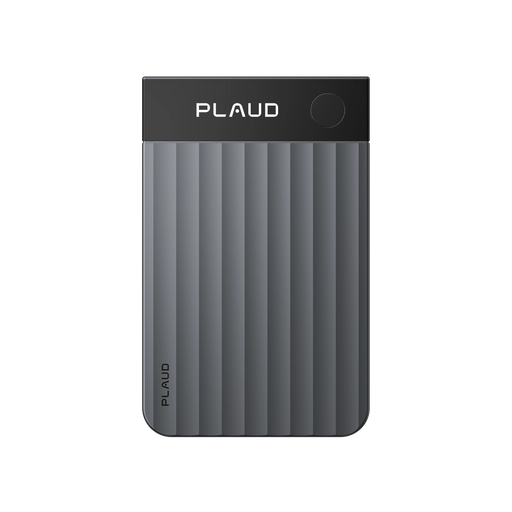
That is where a “record first, generate later” wearable AI note-taker like Plaud NotePin fits. It covers the parts of the day that don't fit a keyboard-and-screen workflow.
What is the alternative to DMO? Use this wearable AI note taker
So what should you do with this in real life?
Use DMO as your “dictate to the cursor” tool when you are at a desk and working inside the EPR. Then add a wearable AI note taker like Plaud NotePin as a “record first, write later” layer for the parts of the day that do not fit a keyboard and screen.
Here is what that looks like in practice:
- Capture ward rounds, MDTs, home visits, and long calls with this wearable AI note-taking device, Plaud NotePin. Clip it to your badge, and stay focused on the patient instead of the laptop.
- Turn those recordings into structured drafts such as SOAP notes, consultation summaries, and follow-up letters. So you spend your time editing instead of building a structure from a blank box.

- Re-use key history and plans with templates, different summary views, and Ask Plaud Q&A, rather than rebuilding the same content from memory at the end of the day.

A simple pattern for UK teams is: record on the move with Plaud NotePin, generate a draft, then back at the workstation, paste it into the EPR.

If needed, use DMO for quick corrections or for local template commands.
You do not need to pick one “winner”. Match each tool to the moment in the day where it works best.
Conclusion
Dragon Medical One in the UK is a proven way to cut typing and speed up letters and notes for clinicians who spend much of their day at a workstation, but by design, it leaves big gaps in mobile and multi-voice work.
The pattern that emerges is simple: desk-based, high-volume users who invest in commands and templates tend to love it, while more mobile staff see less benefit and often hit noise, VDI, and cost issues.
A sensible approach is to keep DMO as the fast dictation layer at the desk and add Plaud-style AI note-takers for ward rounds, MDTs, and community visits, so documentation support finally matches the way care is actually delivered.
FAQ
How much does Dragon Medical One cost?
Dragon Medical One is sold on subscription, with public US pricing around $99 per user per month on a one-year term plus a one-time $525 implementation fee, while UK NHS contracts typically negotiate a similar per-user, per-month model depending on scale and services.
What is the difference between Dragon Medical and Dragon Medical One?
Dragon Medical Practice Edition was a local desktop product that is now end-of-life, whereas Dragon Medical One is the current cloud-based version with roaming voice profiles, automatic updates, and ongoing vendor support.
Does Dragon Medical One use AI?
Yes, Dragon Medical One uses AI-based speech recognition and medical language models for high-accuracy dictation, but the ambient generative AI that turns whole encounters into structured notes lives in companion products such as DAX Copilot and Dragon Copilot rather than inside DMO itself.